
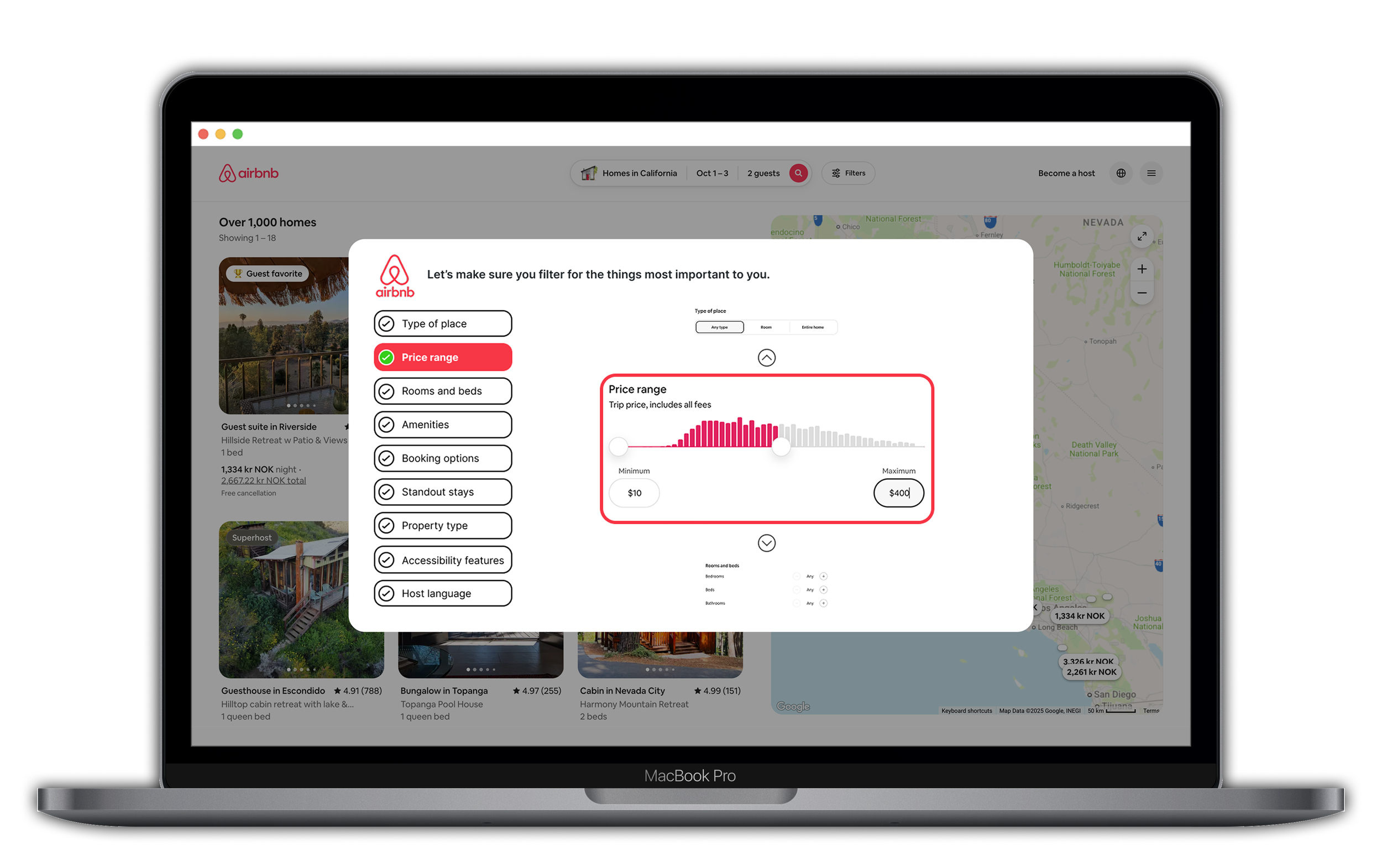
An exploratory usability test, aiming to improve Airbnb’s search and filter features.
This remote, moderated usability test on Airbnb's desktop website examines how users interact with search and filter functions during a typical task. The goal is to gather insights on user behavior, identify usability issues such as navigation challenges or filter effectiveness, and develop design recommendations.
Objective
(in collaboration with fellow UX student)
Research
Preparing and conducting usability tests
Redesign
my role
tools
Figma



Zoom

DocuSign

Forms
Airbnb
Research 3 days
Usability testing 3 days
Redesign 2 days
DURATION
The Challenge
Airbnb users often encounter challenges when searching for accommodations, such as irrelevant results or overlooked filters, which can lead to frustration and abandoned bookings.
Learn about how users interact with the Airbnb website (desktop version) when searching and filtering for accommodations.
How might we
There is a lack of awareness in terms of what filter possibilities are available and what the consequences of clicking in certain areas of the website are.
Even after applying filters, results showed mismatches, and users were unaware of these issues.
Users often miss where key filters like breakfast and WiFi are indicated, leading to incomplete tasks and frustration.
THE SOLUTION
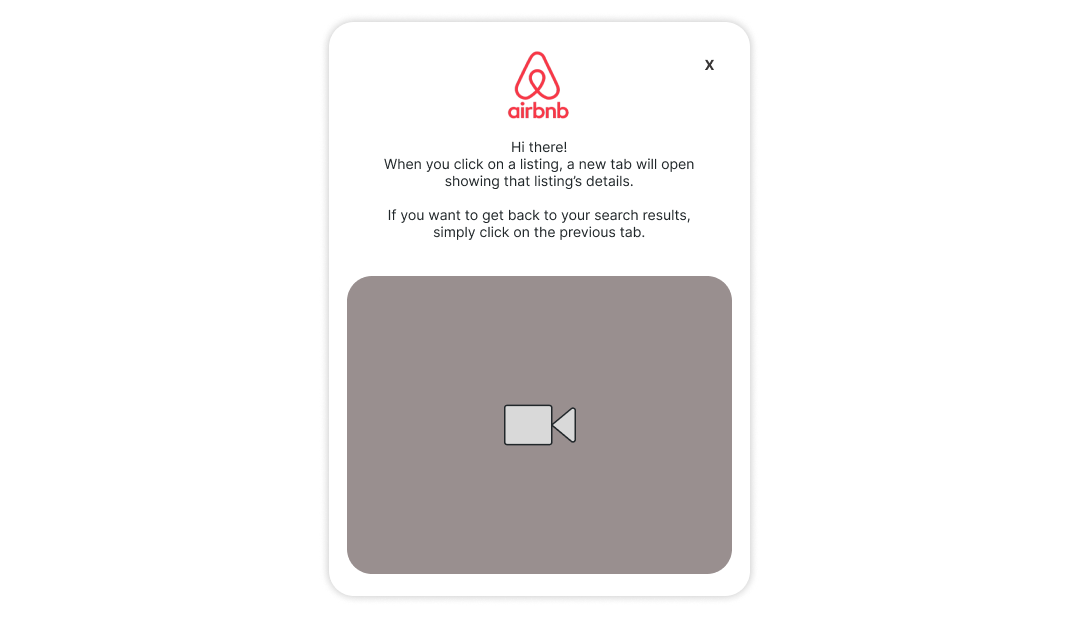
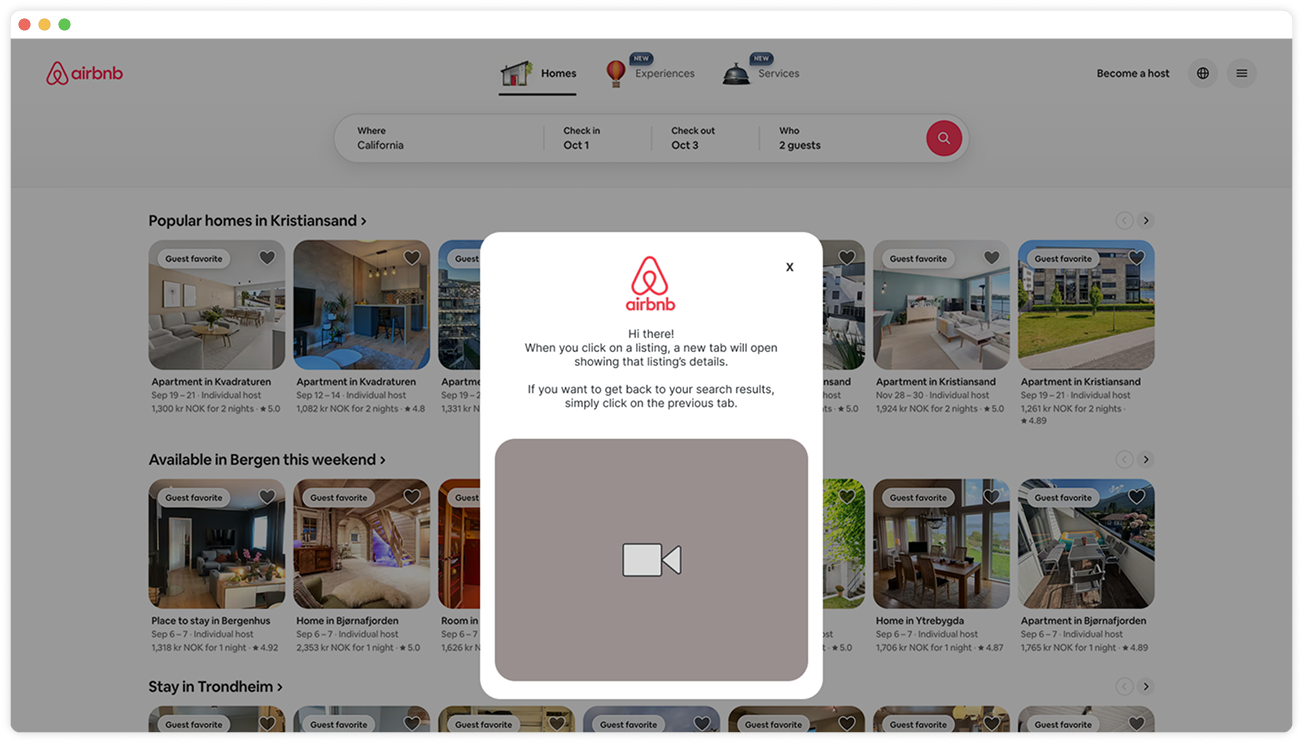
Add a modal on search results explaining that listings open in new tabs - with a looped tutorial video.
Clarify Navigation
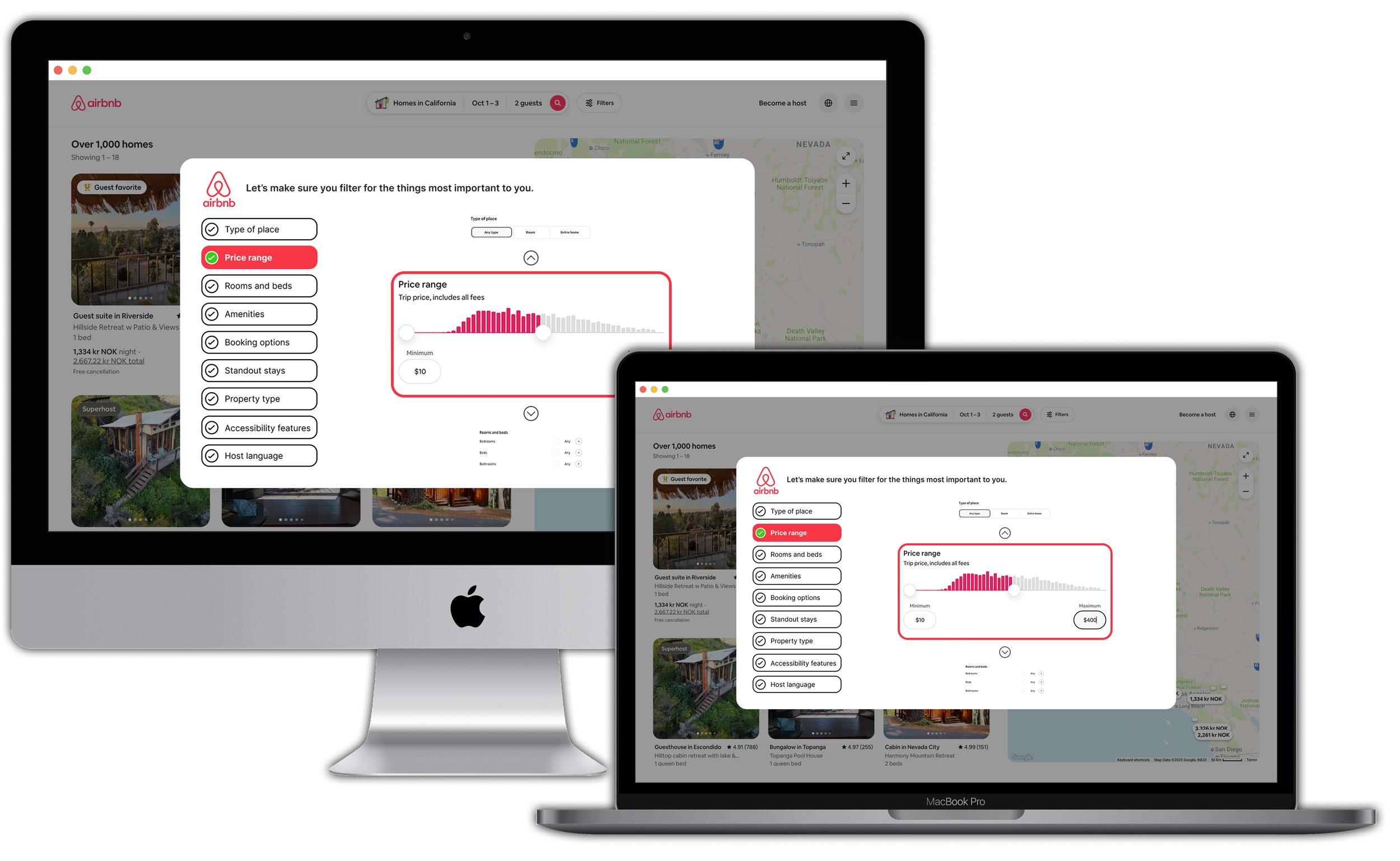
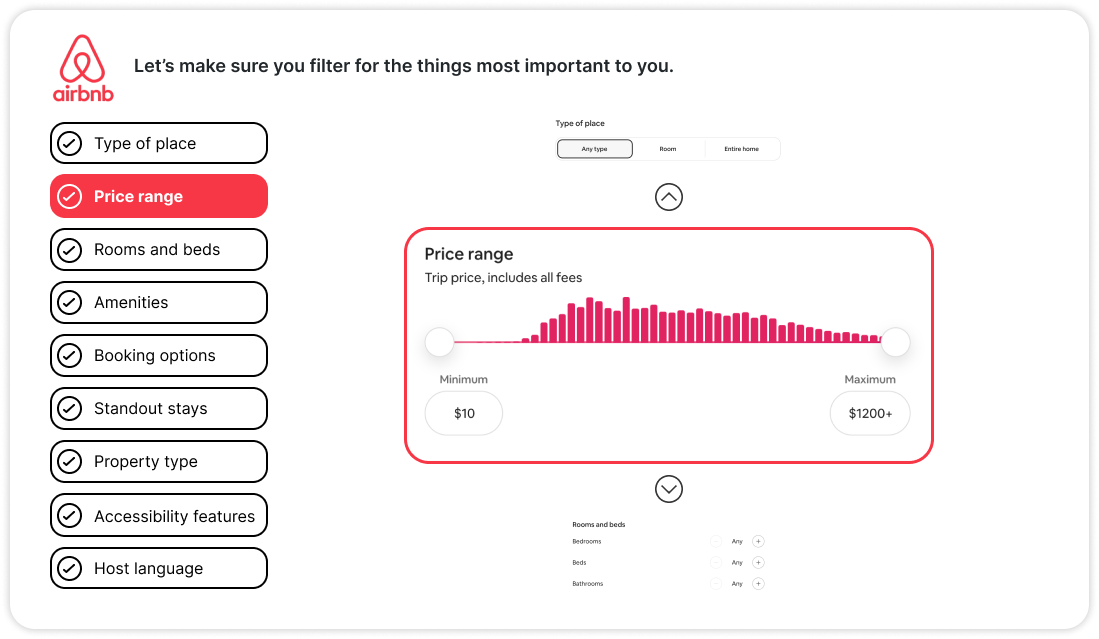
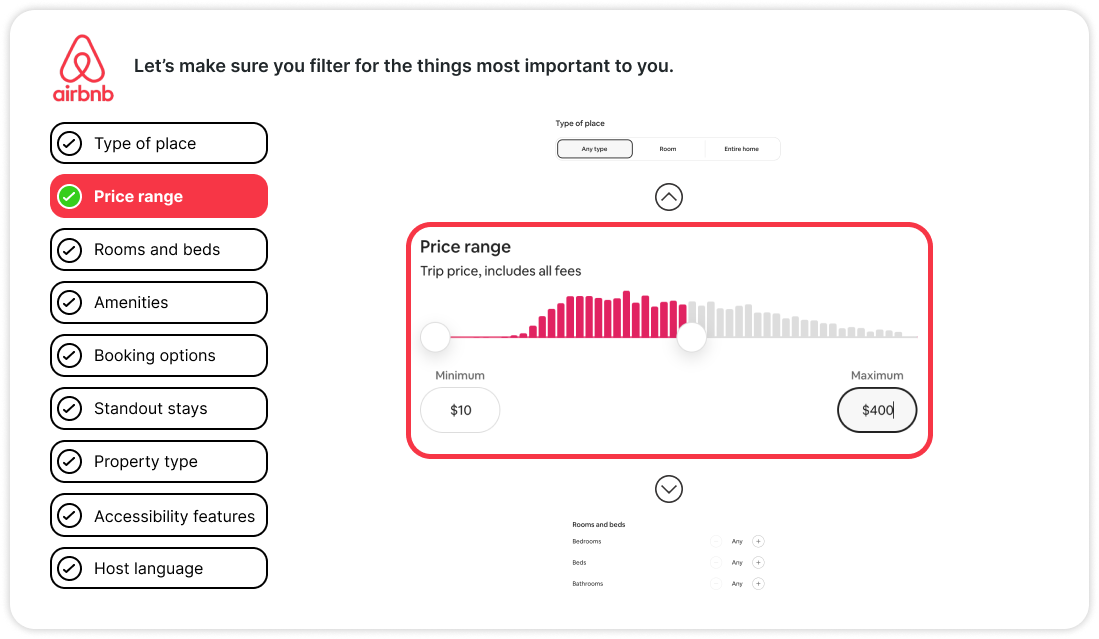
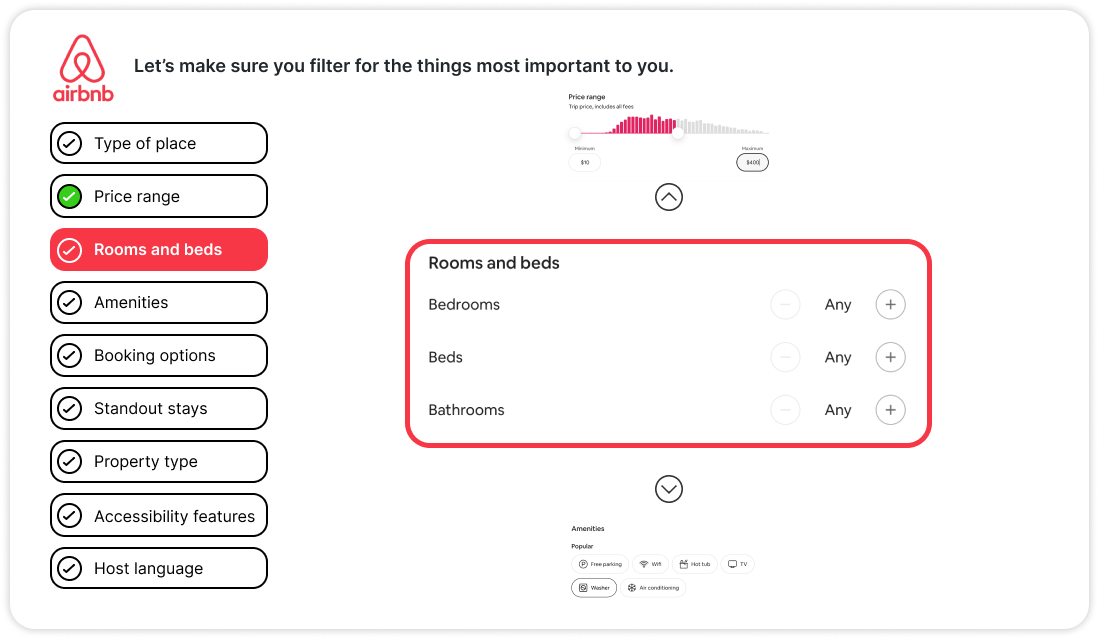
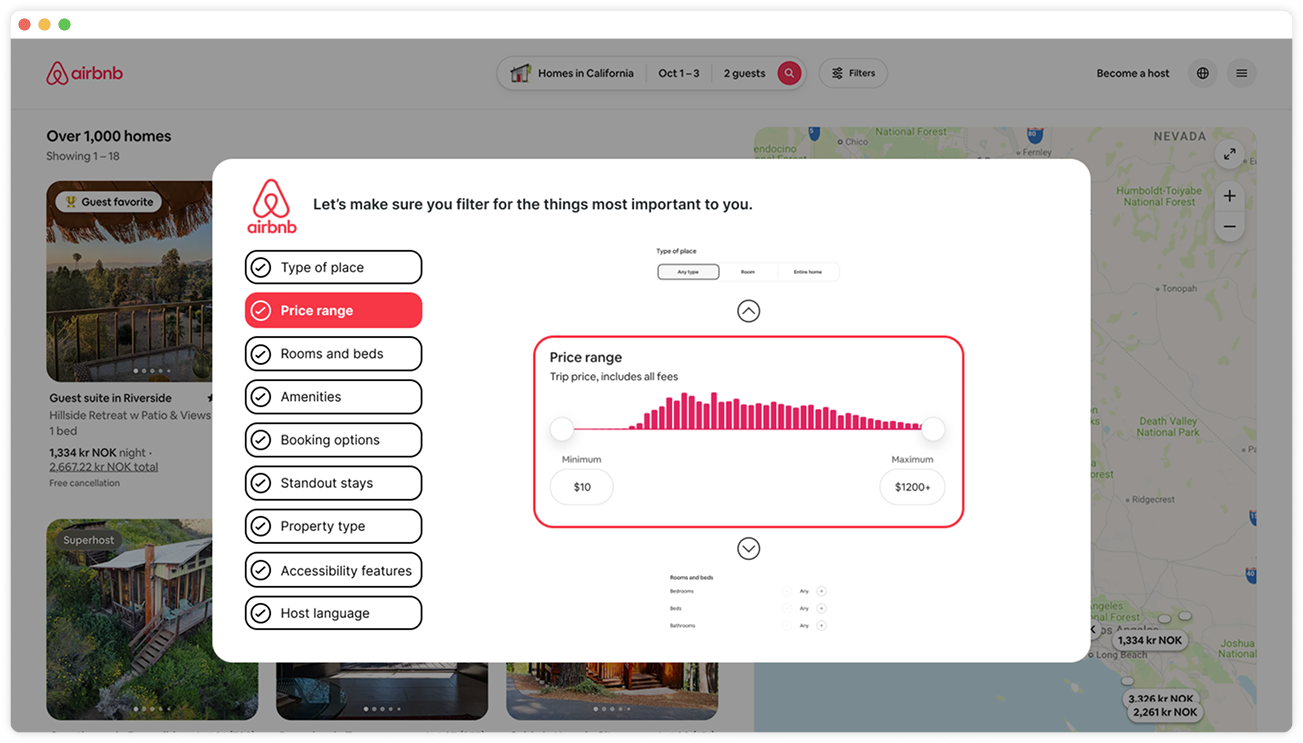
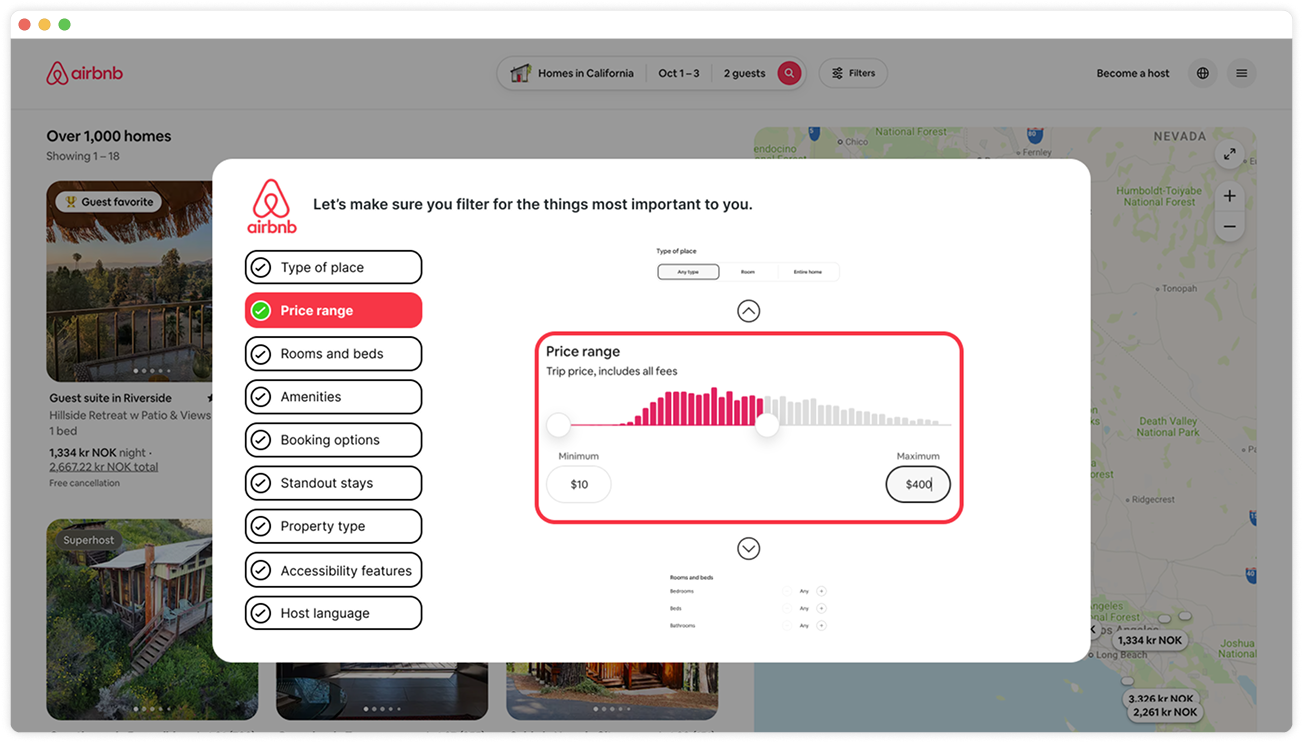
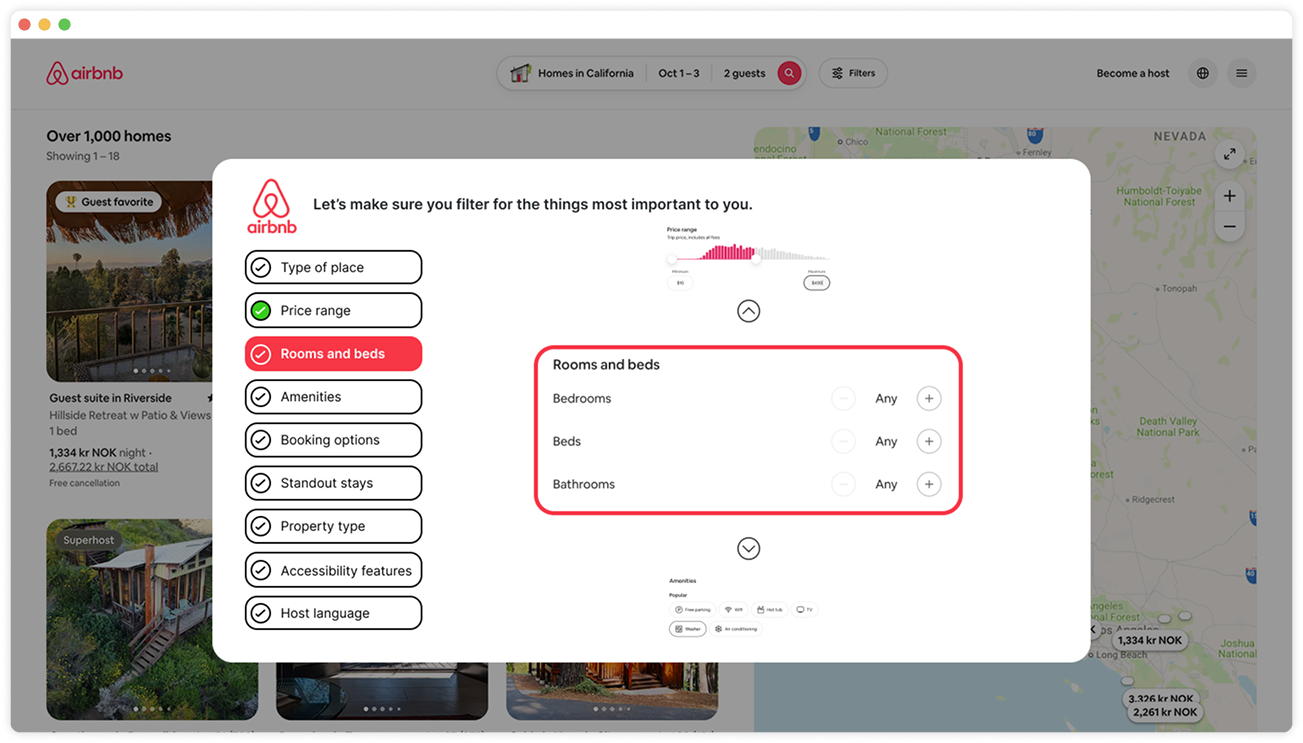
Implement a wizard interface (multi-step form) post-search - presenting filters in a carousel for guided progression.
Guide Filter Selection
OUTCOME
Enhanced filter logic and visibility could improve task efficiency and satisfaction.
Process
This usability testing followed a structured, user-centered approach, emphasizing exploratory insights through remote moderated sessions.

Empathise
Understand the user’s needs and perspectives through observation and engagement.
Define
Clearly articulate the problem statement based on insights gathered.
Ideate
Generate a wide range of creative solutions.
Prototype
Design tangible representations of ideas to explore solutions.
Test
Evaluate and refine prototype through user feedback.
Metrics
Task completion (yes/no).
Time to complete.
User satisfaction (Rated 1–5 for search/filters and overall experience).
These ensured data-driven recommendations.
We measured success via three key metrics
Research & Planning
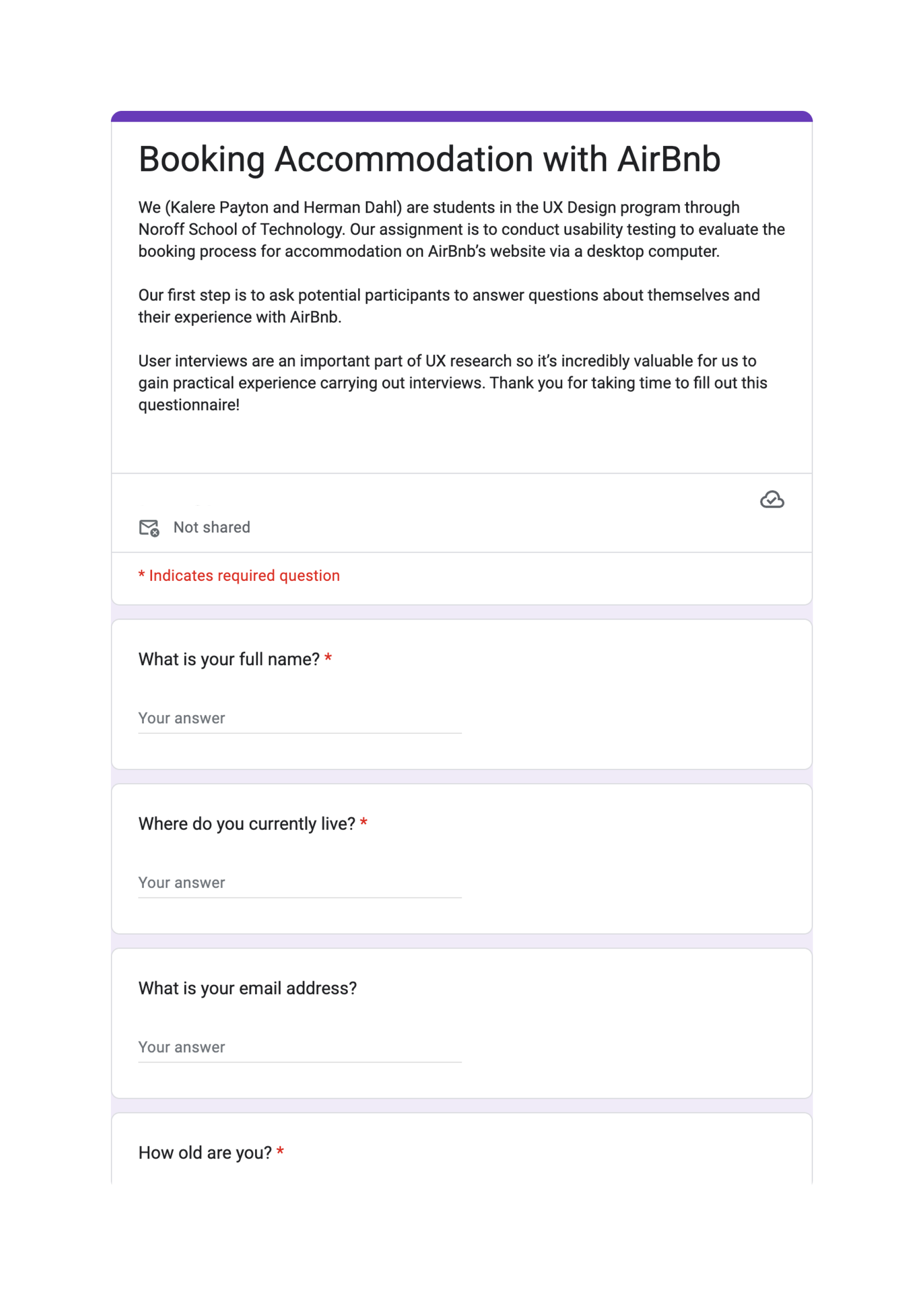
A screener was created and published on social media to collect demographic information, Airbnb experience, and availability.
Consent forms were provided, along with incentives.
Ethical considerations involved ensuring GDPR compliance, maintaining participant anonymity, and prioritizing participant comfort.
Participant Recruitment
Facilitated remote-moderated, task-based tests with think-aloud protocols.
Scripted sessions for neutrality, including warm-ups and post-task surveys.
Piloted the script with a non-participant to refine timing and recording.
Session Preparation
Testing & Iteration
Three participants (A, B, C) completed the task while verbalizing thoughts.
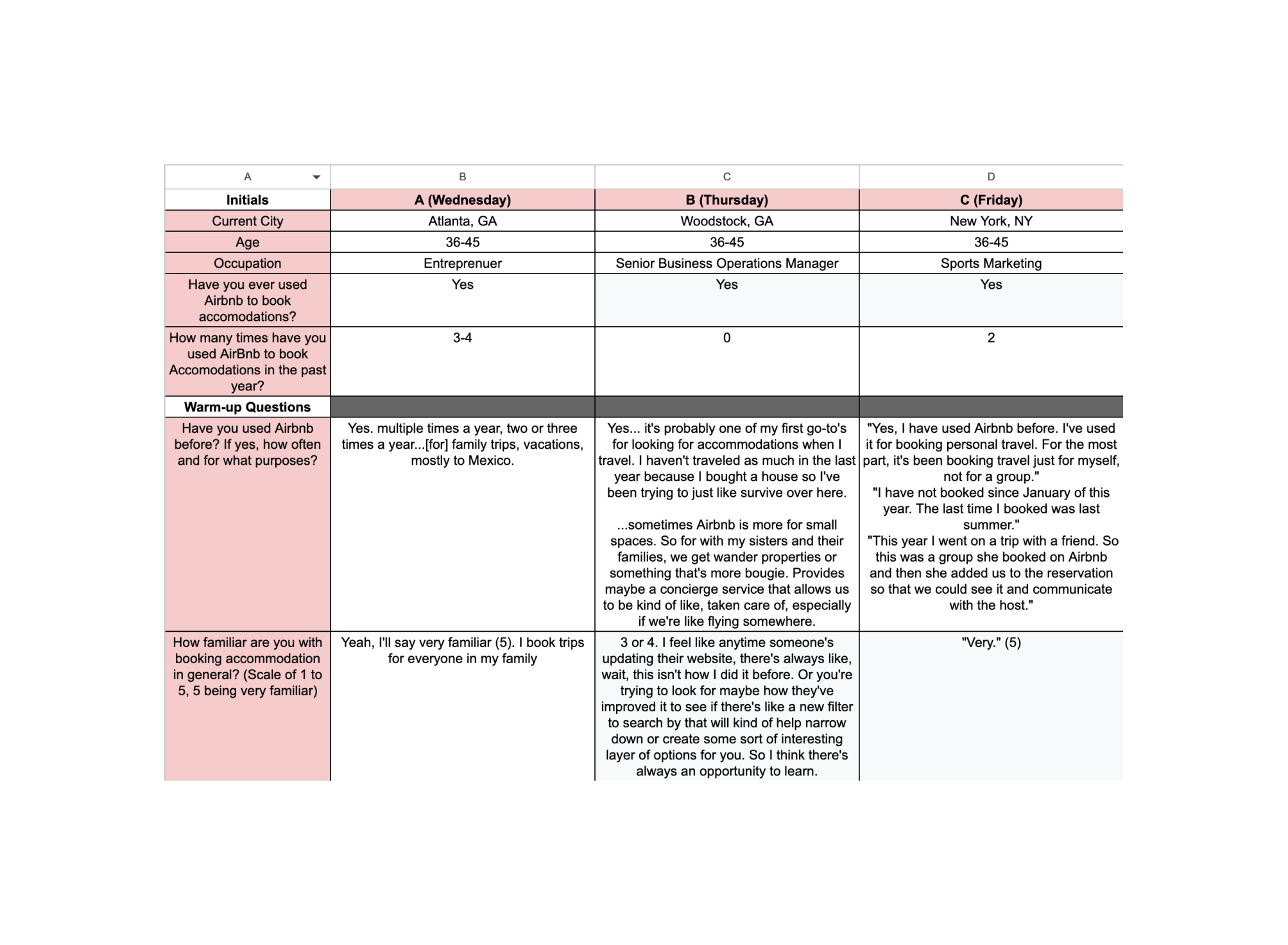
User A: Filter modal stalled; irrelevant Mexico results; frustration with budget slider.
User B: Misclicked map narrowed results; flexible dates defaulted incorrectly; struggled with breakfast filter (mentioned ADD).
User C: Issues with flexible dates and unenforced breakfast filter.
Key findings from sessions
“Make sense of it all” - Affinity mapping to cluster findings into themes - Insights & Recommendations
Insights
Lack of filter awareness (e.g., missing amenities in previews).
Unaware
Disappointment
Filters lacked specificity (e.g., no accommodation type like "cabin").
Roadblocks
Navigation issues between results and listings; irrelevant results.
Satisfaction
Clean UI appreciated; 2/3 rated 4/5 overall.
Recomendations
Add a modal that appears when the map is clicked, asking the user if they want to edit the search area.
Enhance filter logic and provide real-time previews of active filters to better align with user expectations.
Unaware
Disappointment
Add an option to filter by accommodation type (such as bungalow, yurt, cabin, etc.).
Implement a multi-step form (wizard interface) to guide users through the filter selection process.
Roadblocks
Recommendation to keep sharp, minimal designs in future iterations to increase overall satisfaction for familiar users.
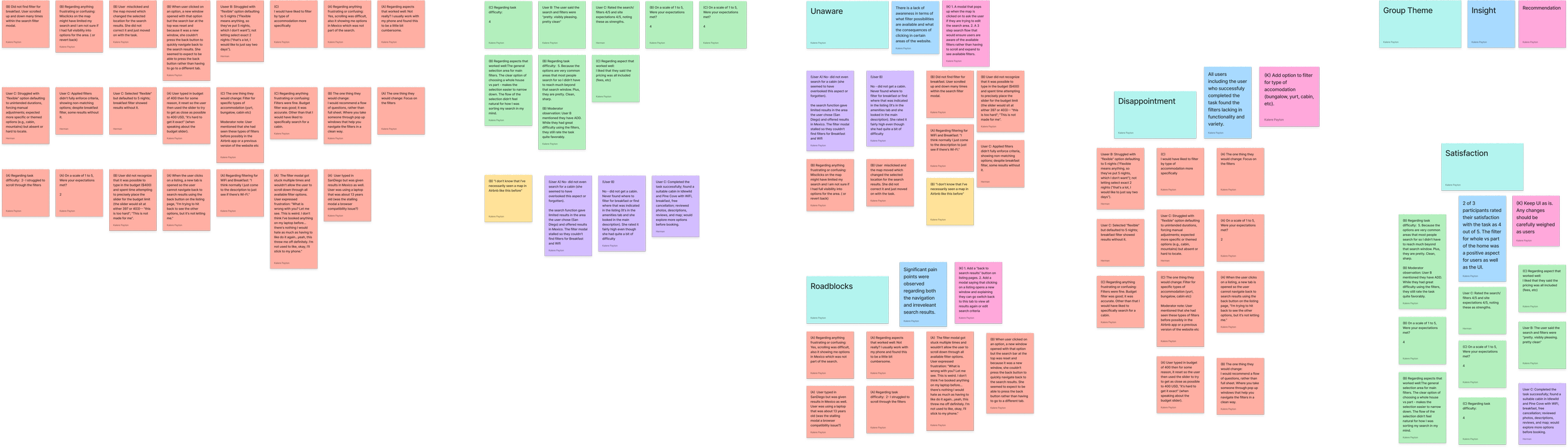
Add a modal saying that clicking on a listing opens a new window and explaining they can go switch back to this tab to view all results again or edit search criteria.
Satisfaction
Varied task completion; average time highlighted inefficiencies; satisfaction provided qualitative depth.
Metrics Report
Full solution
Based on findings, we proposed targeted improvements
Add a modal on search results explaining that listings open in new tabs, with a looped tutorial video.
Guide Filter Selection: Implement a wizard interface (multi-step form) post-search, presenting filters in a carousel for guided progression
Clerify navigation
Add a modal on search results explaining that listings open in new tabs, with a looped tutorial video.
Guide Filter Selection: Implement a wizard interface (multi-step form) post-search, presenting filters in a carousel for guided progression
Guide filter selection
Outcomes
Enhanced filter logic and visibility could improve task efficiency and satisfaction.
Reflection
Future A/B testing on the wizard could validate reductions in frustration; scalability to mobile was noted as a next step.